Playground · AI-Assisted Build
Secret Santa with Pets: From Idea to Production in 5 Minutes
How AI tools enabled me to ship a complete product — as a designer, on my own.
A quick build exploring designer autonomy. For deeper work, see Candidly Design System →
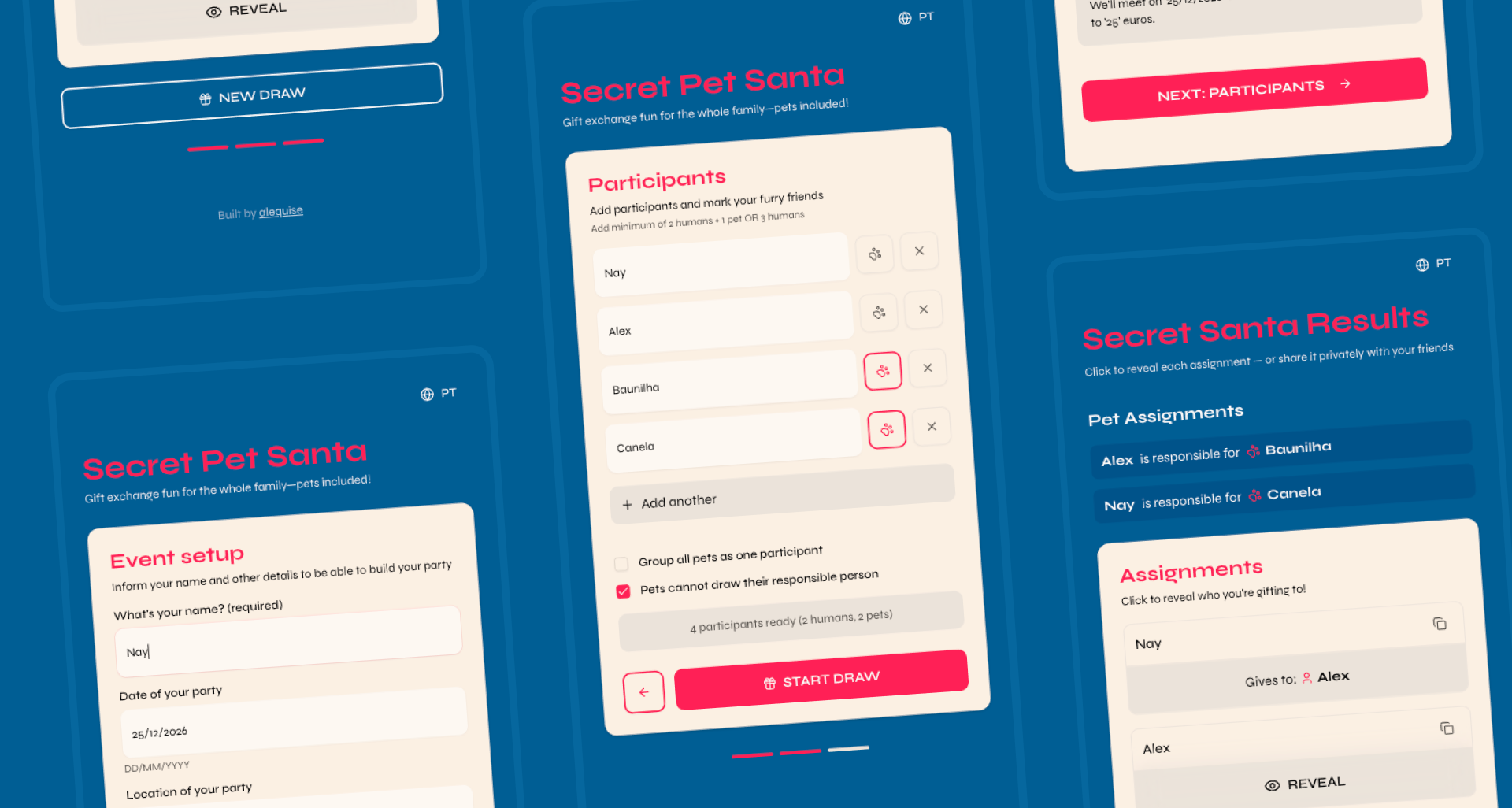
// 01 — challenge
The Challenge
Every Christmas, my family runs a Secret Santa — split between Portugal and Brazil. We used to draw names from a hat, which meant someone had to physically coordinate it. With family on two continents, that stopped working.
The obvious solution is one of the dozen Secret Santa apps out there. Except: they all require account creation, collect more data than necessary, and none of them support our actual tradition — which includes our dogs, Canela and Baunilha, as participants. (Yes, the dogs do Secret Santa. Don't judge us.)
Paper method
Can't share remotely without spoiling the draw
Existing apps
Require accounts, collect data, no pet support
Manual coordination
Someone always accidentally sees who got who
// 02 — competitive
Competitive Landscape
Before building, I mapped what already existed. Claude helped me structure this analysis quickly.
| App | Account Required | Pet Support | Shareable Link | Wishlist | Free |
|---|---|---|---|---|---|
| Elfster | Yes | No | Yes | Yes | Freemium |
| DrawNames | Yes | No | Yes | Yes | Freemium |
| Secret Santa Organizer | No | No | No | No | Yes |
| Giftster | Yes | No | Yes | Yes | Freemium |
| My Secret Santa App ✦ | No | Yes | Yes | No | Yes |
// 03 — process
Process & Tools
This was a test of the workflow, not the app. Could I go from zero to deployed in a single session, using only AI tools?
01
Claude
Ideation & Planning
Scoped the problem, mapped competitive landscape, defined constraints, audited my own thinking
02
Claude
Product Audit
Stress-tested decisions: minimum participants, grouped pets logic, edge cases
03
V0
Build
Described the app in plain language. V0 generated Next.js + shadcn/ui. Iterated 2-3 times.
04
Vercel
Deploy
Connected GitHub repo, one-click deploy. Got a real URL. Done.
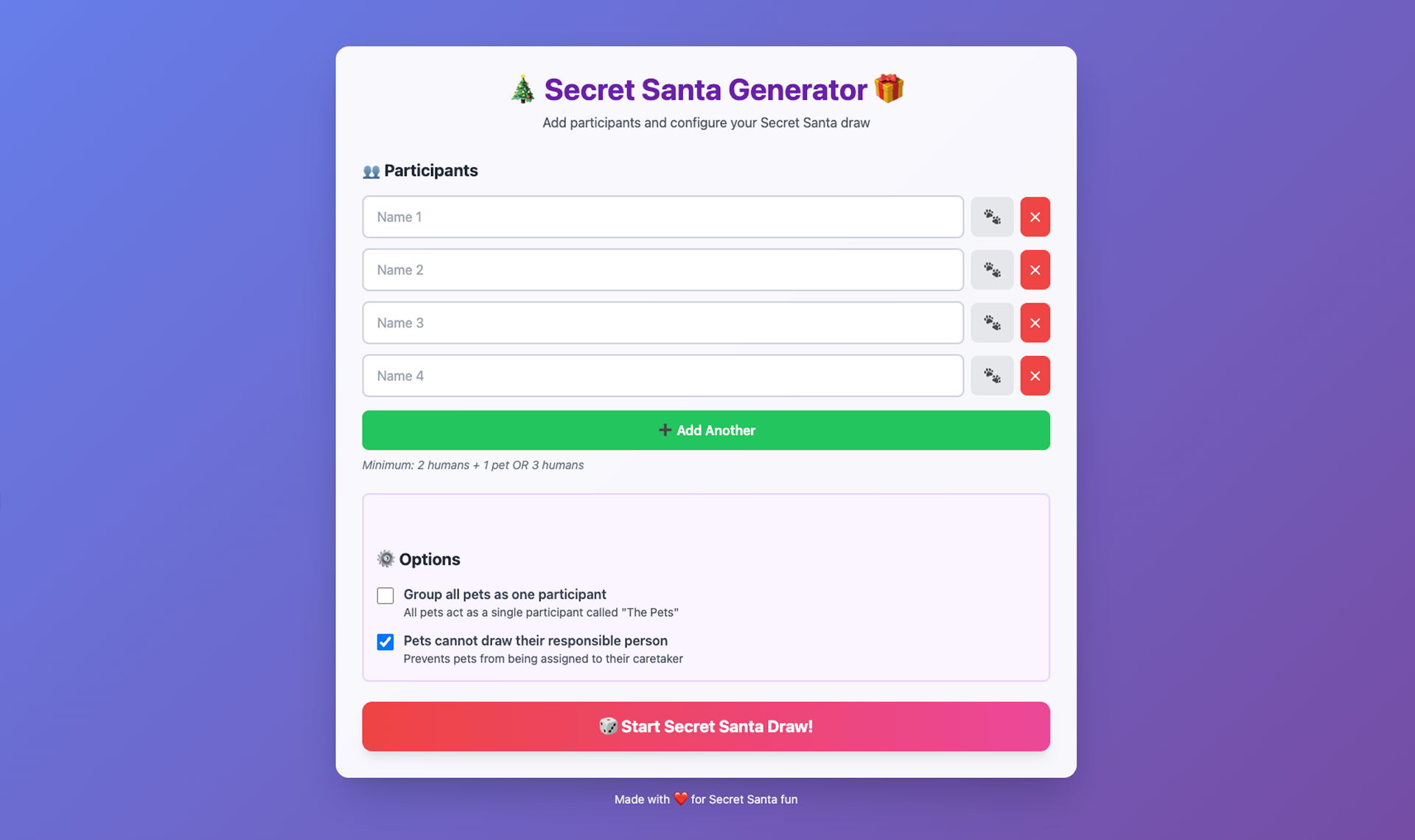
First iteration: a working POC built entirely in Claude, before jumping to V0.
// 04 — decisions
Key Decisions & Learnings
Grouping pets with owners
The question: If Canela and Baunilha are participants, they need a human to receive on their behalf. How do you model that without making the UX confusing?
Resolution: Owner-pet groups: pets are linked to an owner and excluded from drawing with their owner's group. Simple rule, clear UX.
Minimum participants
The question: What's the minimum viable draw? 2 people? 3? If 2 people draw names, it's deterministic and pointless.
Resolution: Minimum of 3 participants required before the draw can happen. Claude helped me think through the math.
Shareable draw results
The question: After drawing, how does each person see who they got without everyone seeing everyone else's result?
Resolution: Unique URLs per participant. Each person gets a private link that reveals only their assignment.
What Worked, What Didn't
What worked well
- Natural language → working UI in seconds
- Iteration speed: fix one thing without breaking others
- V0 understanding design intent, not just spec
- Claude as a structured thinking tool
- Vercel deploy being genuinely zero-friction
What didn't
- First V0 output had state management issues
- Complex constraint logic needed multiple iterations
- No control over the underlying code quality
- Hard to debug when something subtle breaks
- WhatsApp share links required specific formatting
// 05 — result
The Result
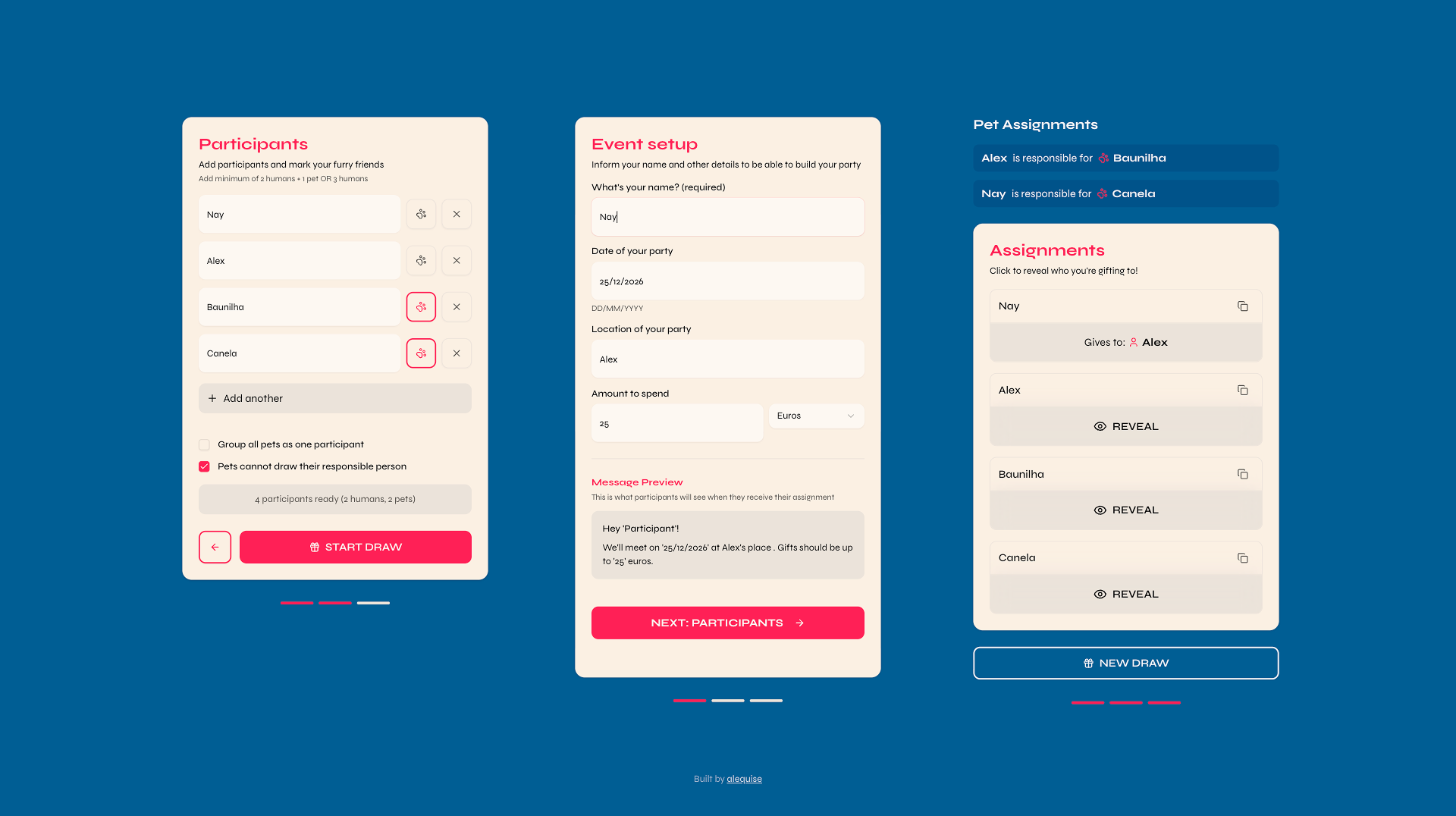
Secret Santa for Pets — live at secretpetsanta.vercel.app
What Shipped
Participant management
Add humans and pets, group pets with their owners
Randomized draw
Algorithm handles constraints automatically
Shareable URLs
Each participant gets a unique private link to their result
No accounts required
Zero friction — open the link, do the draw, done
// 06 — reflection
Reflection
Before this experiment, most of my ideas stopped at Figma. My role ended at designing the experience and handing it off.
Now I'm treating projects like this as a way to expand my own toolkit. By learning how developers structure and ship products, I can:
- Make better design decisions with a clearer understanding of constraints
- Ask better questions during handoff and collaboration
- Prototype and test ideas faster, without waiting for a build
What I'd Do Differently
The app works, and I spent a few more hours refining the design after the initial build. Next time, I'd approach a few things differently:
- Plan more upfront, using the LLM in "plan mode" before execution
- Use GitHub branches for a cleaner history of changes
- Start with a claude.md file to give the LLM better context from the start
That's part of the learning curve. Each project teaches you how to do the next one better.